Run AI agents, their tools, and the code they write on your own machine.
Join the beta
We'll email your personal install link.
We'll only email you about
Cosmonic Desktop.
Cosmonic Desktop runs
agents, tools, and apps in a capability-driven WebAssembly sandbox on your
machine: no file or network access and no keys unless you explicitly allow it.
No account, no cloud, and no Kubernetes required.
Sandboxed agents
Run an agent with nothing but its grants
Pick Pi, OpenAI Codex or Goose on the Agents page, choose a
model, and give it a folder or the tools it needs. The agent has no network,
files, or API keys of its own: Desktop makes every model call and holds the
key, and each tool gets a sandbox of its own. Or build your
own with the open source Cosmonic Agent SDK.
Build + your coding agent
Prompt to a sandboxed app, instantly
Cosmonic Desktop includes an integrated MCP server that gives your coding
agent the skills to compile your apps and deploy them into your local
sandbox. Open Build, describe the app or MCP server you want, and hand it to
Claude Code, Codex, or the agent you already use. Your coding agent runs
with your permissions; what it builds runs in the sandbox.
Describe an app, hand it to your agent, and watch it reach Running.
Capability-driven security
Move quickly with guardrails you can trust
Containers and seccomp run on ambient authority: a
program inherits the permissions of whatever launched it. Cosmonic Desktop compiles your code to a WebAssembly component
that begins with no authority at all: no filesystem or
network access, not even a clock, until the host grants that capability.
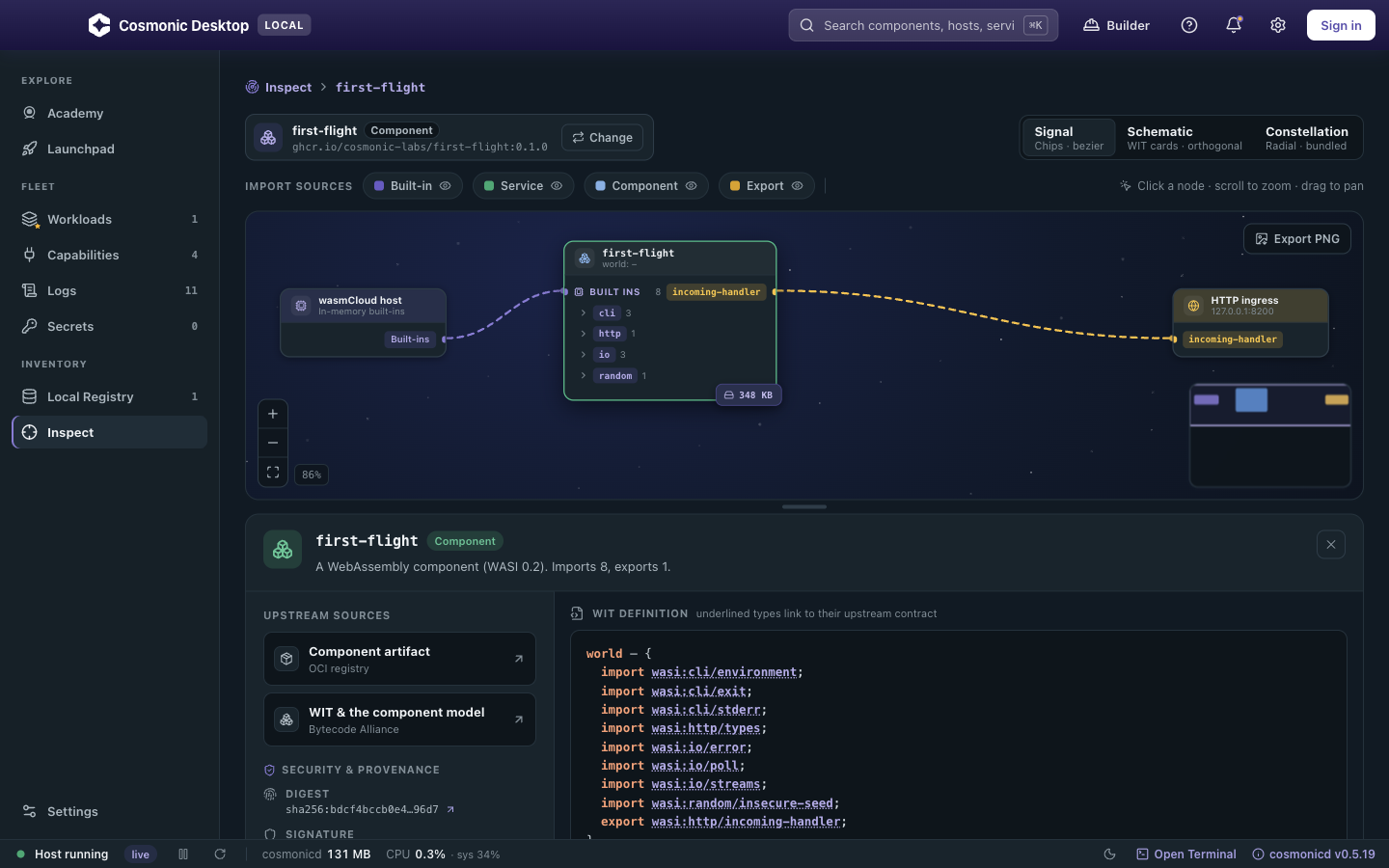
Inspect the capabilities that your components want to use.
Open standards, no lock-in
From prompt to production
Components ship as standard OCI artifacts and deploy
through Kubernetes-style declarative manifests, the same manifest
locally and in production.
The runtime inside Desktop is CNCF Incubating
wasmCloud, so the boundary you trusted in development is the boundary
that ships, on your infrastructure, with no proprietary platform in the
loop.